
About e-District Meghalaya
e-District Project in Meghalaya was launched on 21st January 2016 by the Chief Minister of Meghalaya. East Khasi Hills District was the pilot district for implementation of e-District Project.
Subsequently, it has been launched in 12 districts and sub-divisions across the state. All citizens of Meghalaya can apply for services under the e-District Project subject to the fulfilment of certain criteria specific to each service.
Service can be availed from any of the three modes available — Rainbow Centres (CSCs), District Offices (PFCs at DC/SDO Offices), or directly via the Online Portal.
How to Apply
Guided by Vision
The e-District initiative is driven by the commitment of Meghalaya's leadership to deliver seamless, transparent, and timely governance to every citizen.

Shri Conrad K. Sangma
Under the dynamic leadership of Chief Minister Conrad K. Sangma, Meghalaya has accelerated its digital transformation journey. A proponent of technology-driven governance, he championed the e-District project which has since delivered over 5 lakh services to citizens across all 12 districts. He also holds the portfolio of Electronics & Information Technology, directly steering Meghalaya's digital future.
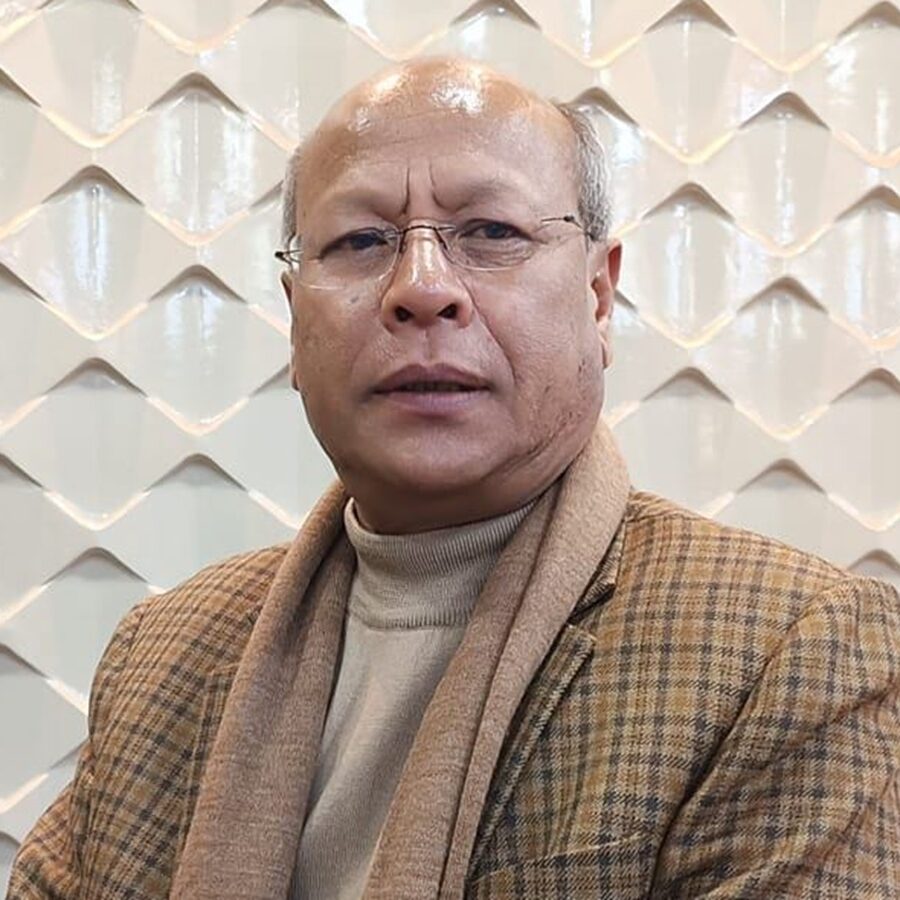
Shri Prestone Tynsong
Deputy Chief Minister Prestone Tynsong has been a key enabler of the e-District initiative, championing citizen-centric reforms in governance. His focus on district-level administration and inter-departmental coordination has been vital in expanding the e-District rollout beyond pilot districts to cover the entire state, ensuring no citizen is left behind.
Featured Online Services
Select a service to view required documents or apply directly online. Services marked RTPS are guaranteed within the stipulated timeframe.
Certificate for Armed/Police & Paramilitary Forces
Service Delivery Timeline/SLA - 45 Days
View All Services
Browse the complete list of e-District services and apply online in a few clicks.
External Specialized Portals
Access other government service platforms integrated with e-District.
Birth & Death Registration
Register vital events through the state portal.
Visit PortalDriving Licenses (Sarathi)
Apply, renew or check DL status via Parivahan.
Visit PortalVehicle Services (Vahan)
RC registration, transfer and vehicle-related services.
Visit PortalEmployment Exchange
Register for employment opportunities in Meghalaya.
Visit PortalMeghalaya State Public Services Delivery Commission
Apply for 200+ notified services.
Visit PortalNational Scholarships
Apply for central and state scholarship schemes.
Visit PortalMeghalaya Farmer Portal
Agricultural schemes, subsidies and farmer support.
Visit PortalDepartment / Service Wise Reports
Additional departmental reports available through e-District Meghalaya.
Visit PortalConsolidated / Task Wise Reports
Additional departmental reports available through e-District Meghalaya.
Visit PortalFrequently Asked Questions
Find answers to common queries about using e-District Meghalaya services.
No. A mobile number is not mandatory for registering on the e-District Meghalaya portal.
The required information for registration are marked with an asterisk(*), namely:
- Full Name
- Email Address
- Password
- State
You may leave the mobile number field blank if you do not wish to provide a mobile number during registration.
If you receive the error message "Enter a valid phone number", please check the mobile number field. The field accepts either:
- A blank/empty value; or
- A valid 10-digit mobile number.
If you choose to provide a mobile number, ensure that it contains exactly 10 digits. Do not enter spaces, special characters, or additional digits.
- If you have forgotten your password and need to reset it, please click on the "Forgot Password?" link located on the bottom of the login page of our website. This will take you to a page where you can enter the email address associated with your account.
- Once you have entered your email address, you will be prompted to complete a captcha. After completing the verification step, you should receive an email from our website with instructions on how to reset your password.
- The email should contain a link that will direct you to a page on our website where you can enter a new password. Please ensure that you choose a strong and secure password that you will be able to remember. Once you have entered your new password and confirmed it, you should be able to log in to your account using your new credentials.
While filling the application form, the user has the option to fill up the application partially and save it as draft. A draft reference number will be generated. The same application can be continued filling up by going to Track application status -> View incomplete applications
If an application is sent back to the applicant for some corrections, the citizen can go to track application status and click on the link Waiting for applicant's response and fill up the required fields allowed for updation or for resubmission of enclosures.
In that case we need to click on revalidate payment. If the status of payment is N then the applicant has to reinitiate payments
The RTPS Act 2020 guarantees citizens the right to time-bound delivery of notified services from government offices. If an officer fails to deliver within the stipulated SLA, they may be subjected to a penalty. Citizens can file an appeal if the deadline is missed.
Click Track Application from the top navigation or homepage. Enter your application/acknowledgement number to view the current status, remarks, or any pending actions required from your end.